CXIQ Redesign
Workplace Management System Chatbot Experience
— overview
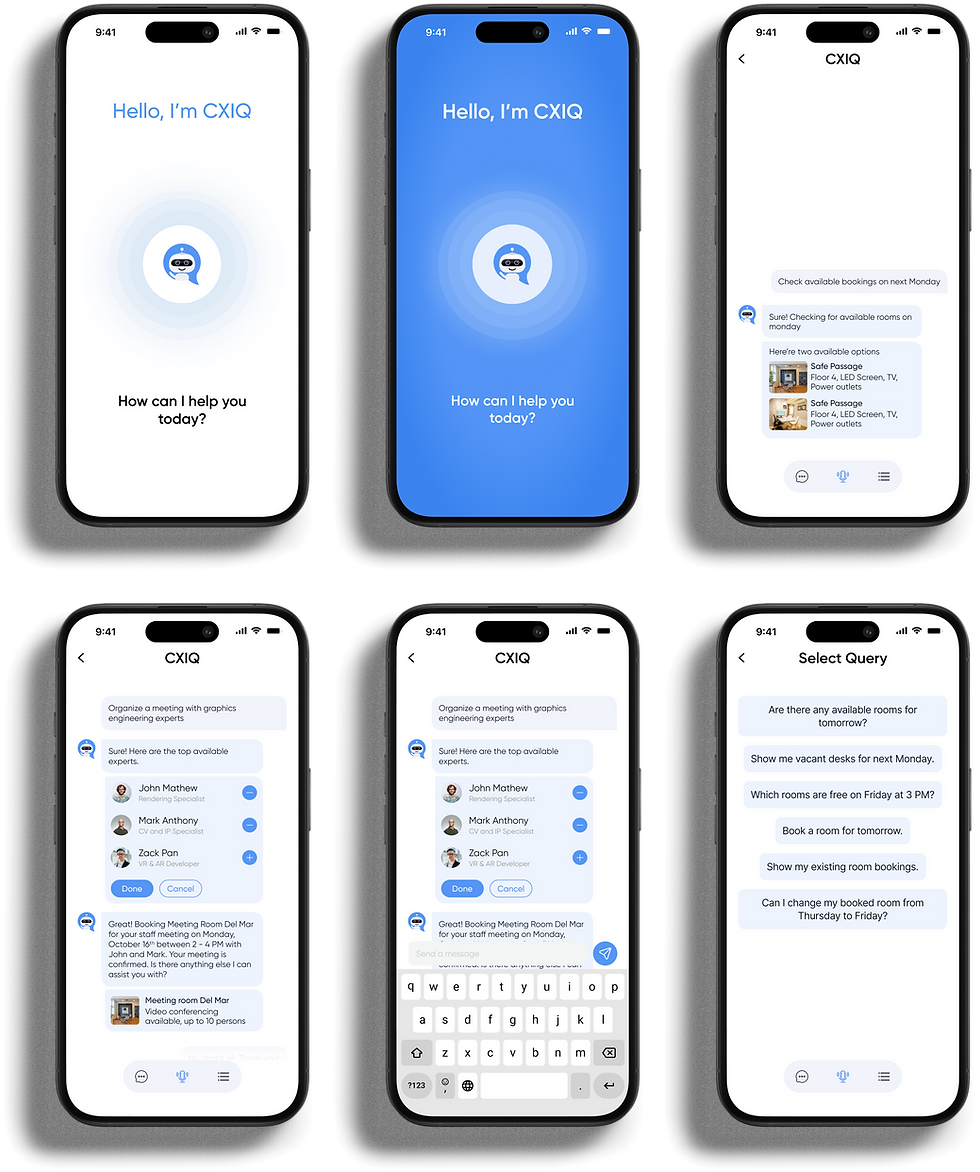
A conversational interface for space booking
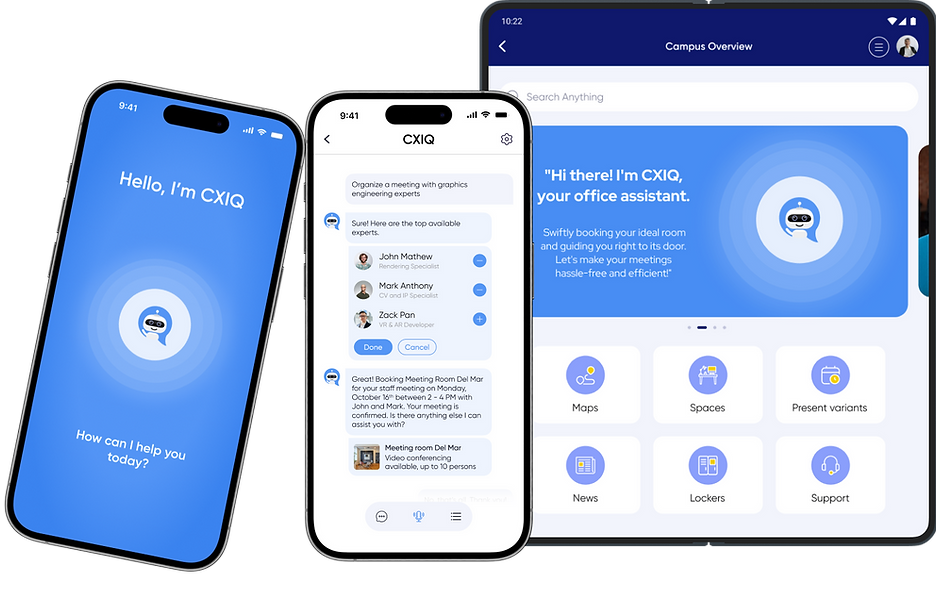
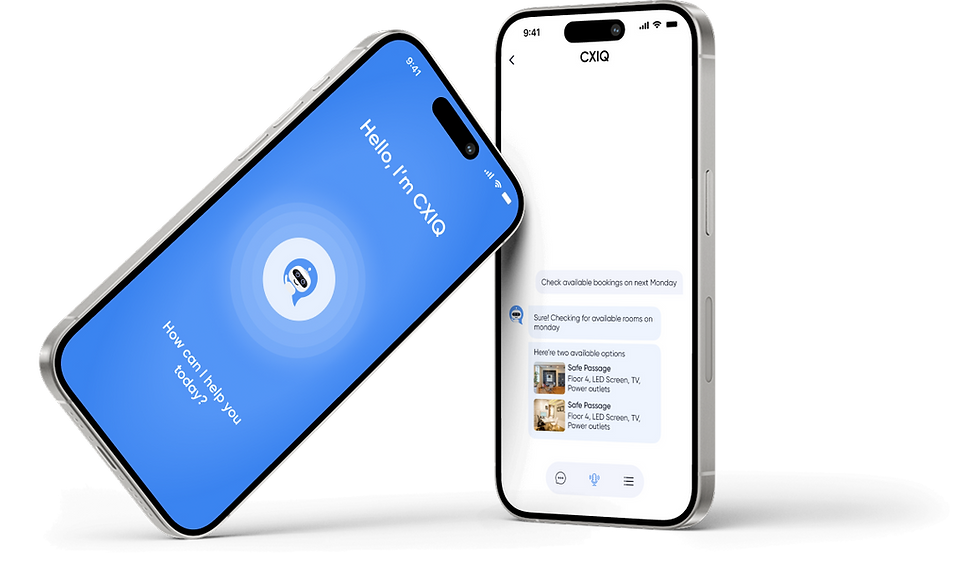
CXIQ is a conversational assistant integrated into a workplace management application, helping employees find and book the right space—from a quick two-person huddle to a formal client meeting. Instead of navigating static booking forms or complex floor directories, employees can simply describe what they need using natural typed or spoken language.
While CXIQ simplified the booking process, the experience was largely one-size-fits-all. Users couldn’t personalize the interface, communicate in languages other than English, or fully adapt the experience to their accessibility needs. As adoption increased, these limitations became more visible through declining repeat usage, growing support requests, and user feedback—revealing an opportunity to make CXIQ more personalized, and accessible.
ROLE
RESPONSIBILITIES
GOAL
UX Researcher
UI and UX Designer
UI and UX Design, Accessibility Audits, Competitive Research, Usability Testing
User-centric space booking and management experience that prioritizes enhanced usability, customization, and accessibility.
— Research
Turning Research Into Direction
User Engagement
Customizable themes increase engagement, users spend more time in an app that reflects their own visual preferences rather than a fixed default.
Personalization
Letting users choose their own theme improves both personalization and visual comfort, and accounts for different aesthetic preferences across a workforce.
Global Reach
Offering multiple language options broadens the app's accessibility to a global audience, fostering inclusivity for non-English and multilingual users.
Enhanced Spatial Understanding
AR features in navigation tools measurably improve spatial understanding, particularly in complex, unfamiliar, or multi-floor environments.
Mobile Optimization
With most application access happening on mobile, a mobile-first design is essential for creating a seamless booking experience.
Ethical Responsibility
Providing accessibility options helps comply with legal requirements in certain regions and demonstrates a commitment to ethical, inclusive design.
Diverse Map Preferences
Not every user reads a map the same way, giving people the option to switch map styles accommodates real differences in how people navigate indoor space.
User Empowerment via Feedback
Giving users a direct channel to provide feedback doesn't just surface bugs, it measurably improves how invested people feel in the product over time.
Who CXIQ is designed for
— User Persona
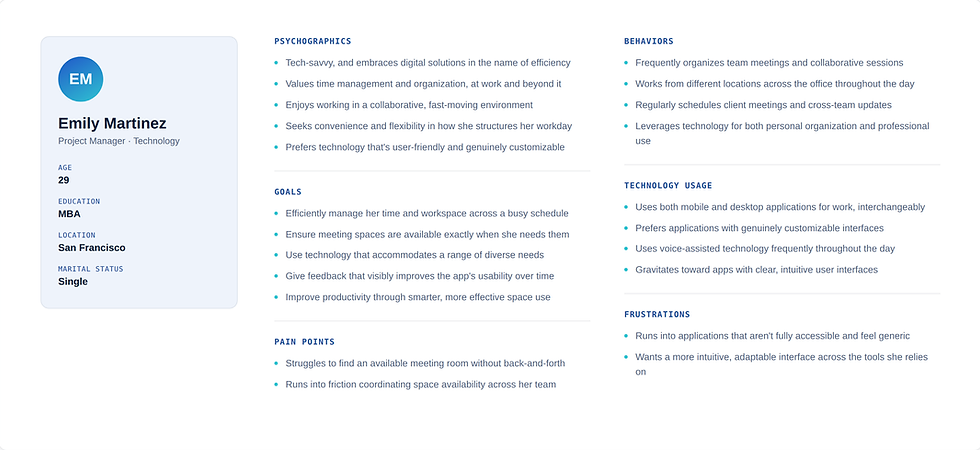
The following personas were created to represent the ideal users of the application, based on the information gathered during user research.
— USER story 1
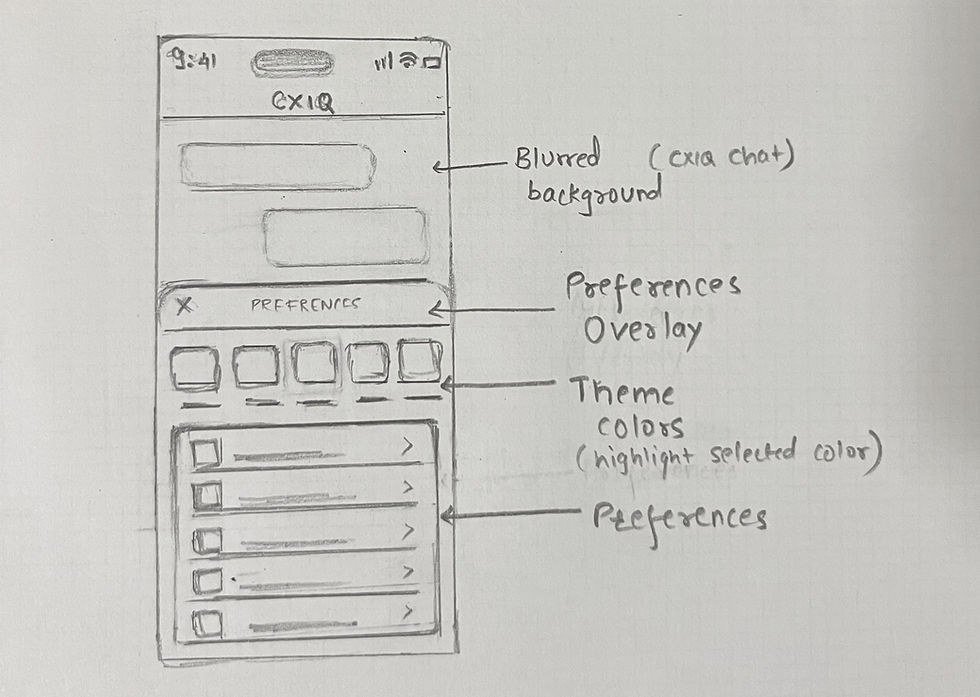
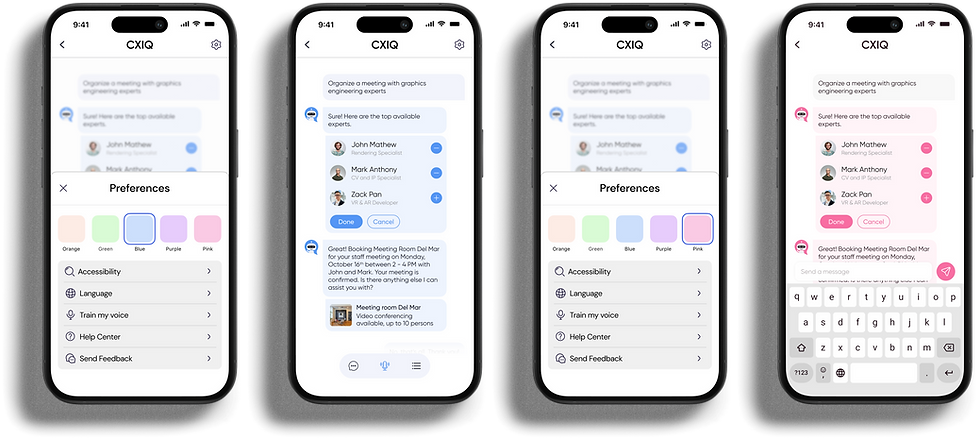
User-Controlled Customization of Interface Themes
"As a user of the CXIQ chatbot, I want the ability to customize the visual appearance of the chat interface, so that I can personalize my interaction experience according to my visual preferences and make it more enjoyable."
_edited.jpg)
Theme Selection Option
The CXIQ interface shall offer a selection of different themes and color schemes.
User Empowerment
Users shall be able to share feedback about their experience, helping identify opportunities for improvement.

— USER story 2
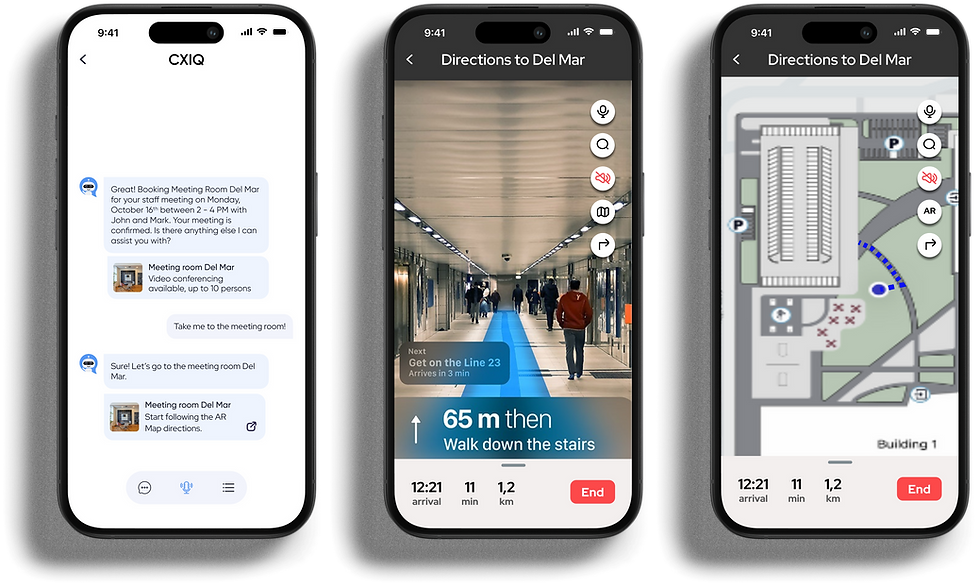
Providing an AR Map Link for Indoor Navigation
"As a user of CXIQ, I need directions after booking a meeting room, or whenever I request directions to any indoor office location, so that I can navigate to my destination using the most direct and convenient route."
AR Map Generation
Upon a successful room booking, or on request, the chatbot automatically provides a link to an AR map.
Ease of Access
The AR map link is easily accessible and prominently displayed in the chatbot's response.
Real-Time Updates
The AR map provides real-time directions, accounting for any changes or obstructions in the office layout.
— Prototype
CXIQ INTEGRATION
Integrating the CXIQ feature with CX App to attract users to explore it and easily navigate to this feature.
Carousel Integration on Main Screen
By strategically placing the CXIQ chatbot within the CX App's main screen, the concept aims to attract user attention while clearly communicating the chatbot's presence enabling immediate and easy access.
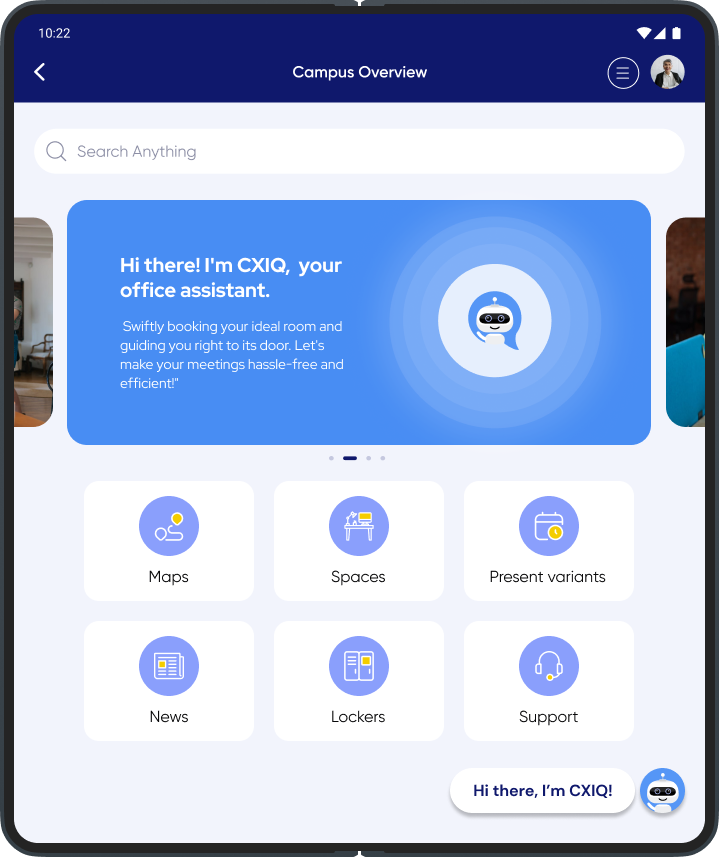
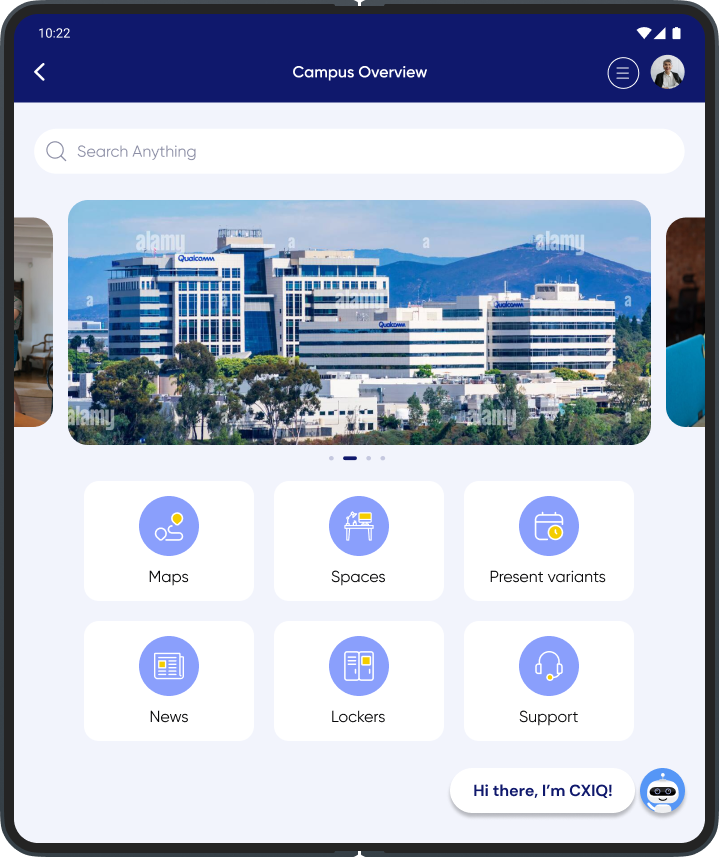
Interactive Chatbot Bubble
An interactive chatbot bubble with a welcoming message sits at the bottom of the screen as an intuitive, friendly prompt. It personalizes the experience and gives users a clear, one-tap way to start a conversation.
— FUture enhancements
Where CXIQ goes next
-
Enable users to order food directly through the chatbot for meetings or individual needs.
-
Provide catering options with dietary preferences and restrictions, allowing users to customize orders based on their needs.
In-Chat Food Ordering
-
Support voice-to-text and text-to-voice communication to accommodate accessibility needs.
-
Provide accessible visual and voice controls that allow users to choose their preferred communication method and work seamlessly with assistive technologies.